
StarPlayrX for Mac 1.1.2: a Lava-Lamp Equalizer, a Tear-Off Window Shade and AppleScript
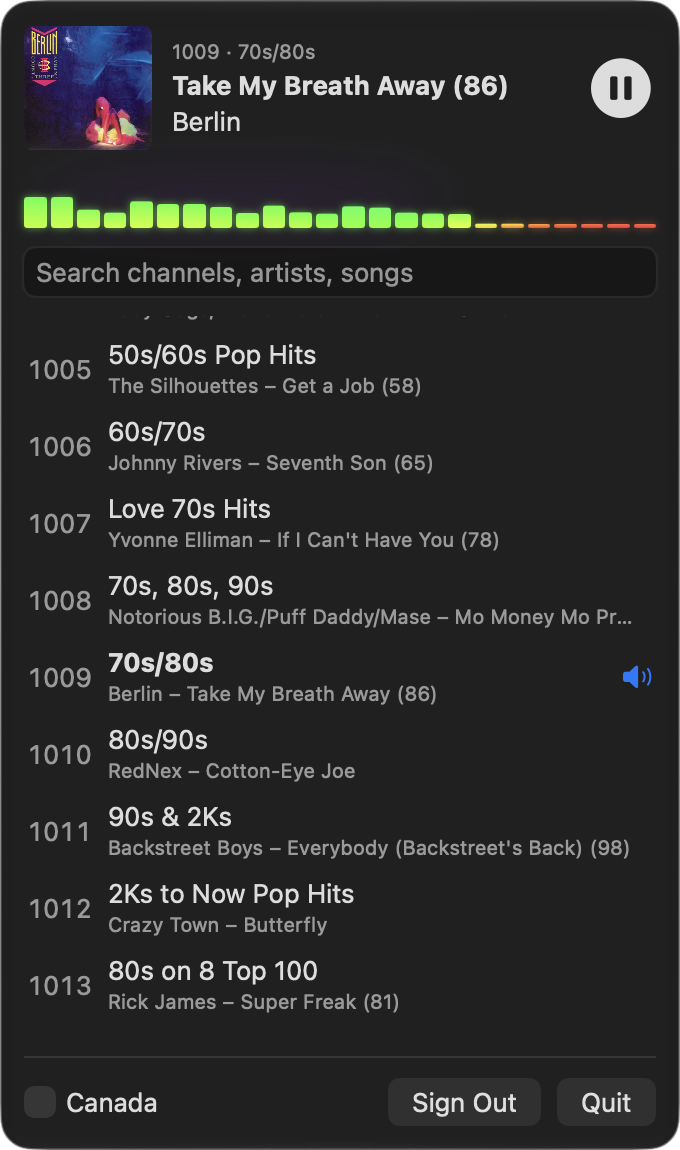
The same evening as 1.1.1, Agent! gave StarPlayrX a color equalizer driven by its own audio, a window you can tear off the menu bar and roll up like a shade, Liquid Glass, and a full AppleScript dictionary it then used to test every Xtra channel.
この記事はまだ翻訳されていないため、英語で表示しています。
Download it: StarPlayrX for Mac 1.1.2 (signed and notarized, Apple silicon and Intel, macOS 13 Ventura or later). The website is starplayrx.com and the source is on GitHub.
This afternoon I brought StarPlayrX back to the Mac and shipped 1.1.1. Version 1.1.2 is out about four and a half hours later.
A groovy lava-lamp equalizer
I asked Agent! if there was any way to take the sound StarPlayrX is playing and show it as an equalizer. AVPlayer doesn't hand out samples for HLS streams, so it tapped the app's own audio with a Core Audio process tap and ran it through an FFT. The bars move with the actual music, not a fake animation.
Then I asked for the colors to change like a lava lamp. The first version was too predictable, so now the colors drift with the music, and a soft glow behind the bars swells on the bass. It even keeps working when the sound goes through BlackHole. The equalizer needs macOS 14.2 or later, since that's when Apple added process taps.
Tear it off, roll it up
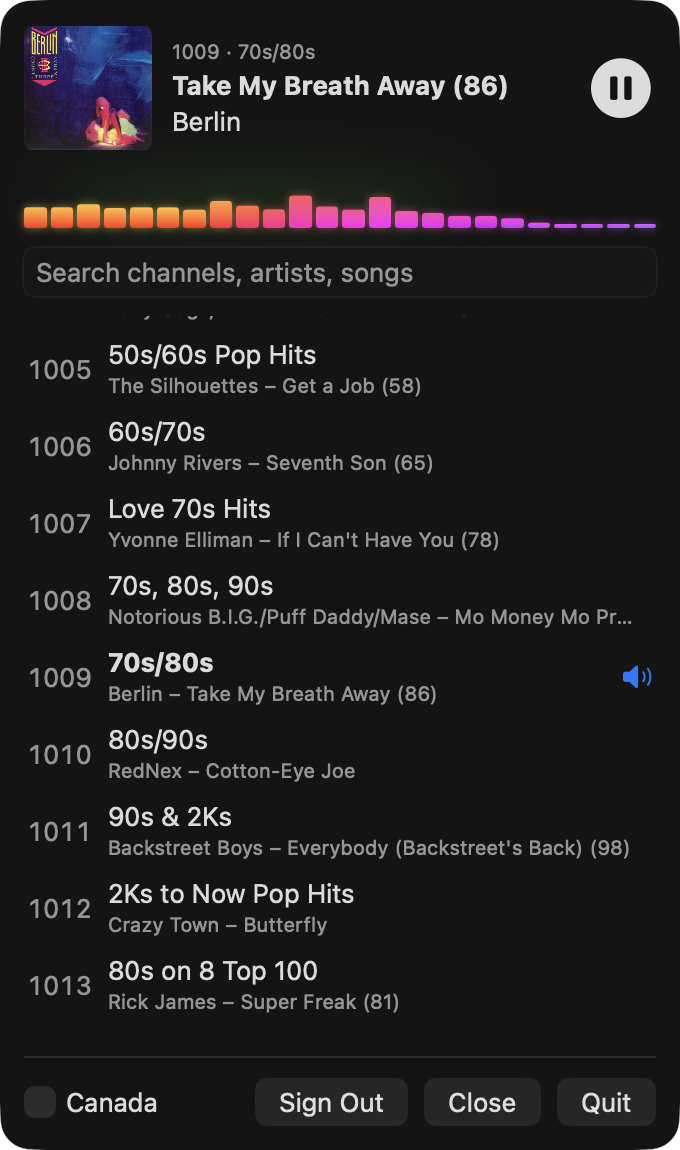
Drag the panel away from the menu bar and it tears off into its own floating window that you can park anywhere. Click the 📻 icon to hide or show it again. Double-click the header and it rolls up like an old-school window shade, leaving just what's playing and the equalizer:
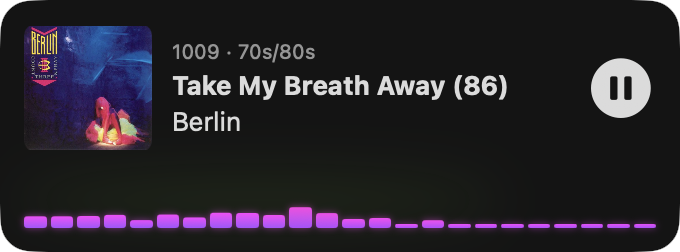
Most of the back and forth went into making it feel right. The first tear-off just disappeared. Going from shade back to the menu bar jumped. So every move between menu, tear-off and shade is animated now, and it's super smooth. On macOS 26 it uses the same Liquid Glass as a real menu bar window, without the dark rim SwiftUI's glass left around it.
AppleScript, so Agent! can test it
Testing the app used to mean Agent! clicking around it through accessibility. Now StarPlayrX has a real AppleScript dictionary. You can play, stop and resume channels, read what the list shows and what's actually playing, search, scroll, tear off, park and shade the window:
tell application "StarPlayrX"
    play channel "1009"
    get {shown artist, shown song}
    park menu at upper right
    toggle shade
end tell
There's also a test channel command. It tunes a channel and reports whether what plays matches what the channel list showed. Agent! ran it on all 279 Xtra channels, and all 279 matched. It also added a unit test target with 23 tests and a scripted end-to-end tour.
What's in 1.1.2
- Lava-lamp color equalizer driven by the app's own audio (macOS 14.2 or later)
- Tear-off window: drag it off the menu bar, park it anywhere, toggle it from the 📻 icon
- Window shade: double-click the header to roll it up to what's playing and the EQ
- Smooth animations between menu, tear-off and shade, and Liquid Glass on macOS 26
- AppleScript support, including
test channelfor checking Xtra channels - Xtra channels play the song the channel list shows
- Universal build, signed with Developer ID and notarized by Apple
You still need an active SiriusXM subscription.